

Is Gorestager made for deathcore breakdowns?
Yes—GORESTAGER fits deathcore breakdown production as an extreme preamp distortion plugin, rather than a complete guitar amp simulator. Use it to add distortion before an amp-and-cab chain, but judge the result against the same chain with GORESTAGER bypassed: extra saturation is useful only when the riff keeps its attack and stops cleanly.
- GORESTAGER deathcore breakdowns work best when extra preamp distortion serves the riff, not just the soloed guitar sound.
- Oracle Sound positions GORESTAGER as an extreme preamp distortion engine, not a complete amp simulator.
- Keep GORESTAGER only when a level-matched comparison improves attack, sustain or texture without blurring the breakdown.
- SLAMP targets slam, brutal death metal and deathcore; use its amp stage as a separate production decision.
Is Gorestager made for deathcore breakdowns?
GORESTAGER is a relevant distortion stage for deathcore breakdowns, but its stated role is broader than that genre. Oracle Sound describes GORESTAGER as an extreme preamp distortion engine and identifies it as a VST/AU/AAX plugin—not a physical guitar pedal.
That distinction matters in a 2026 recording session. Choose GORESTAGER when your existing guitar chain needs a different distortion character; choose an amp simulator when you need the amp stage itself.
| Product | Stated role | Best for | Production trade-off |
|---|---|---|---|
| GORESTAGER | Extreme preamp distortion plugin | Adding an extreme distortion stage to an existing guitar chain | Adds another gain stage to balance; it is not described as a complete amp sim |
| SLAMP | Amp sim with SOLID STATE and TUBE choices | Slam, brutal death metal and deathcore amp tone | Its thick, dense direction still needs checking against your bass and kick |
| TYRANT | High-gain amp simulator with SATN and TRSH voices; BOOST available on both | Exploring different high-gain amp voices | Changes the amp stage rather than simply adding preamp distortion |
This is a comparison of stated product roles, not a sound-quality ranking. GORESTAGER and an amp simulator can occupy different positions in the same signal chain.
Why this matters
A breakdown exposes the space between notes. Distortion that sounds huge during a sustained chord can make a short palm-muted pattern harder to read once the bass, kick and cymbals enter.
Oracle Sound’s GORESTAGER is best for heavy producers who want an extreme preamp distortion stage inside an existing guitar chain. Its practical advantage is that role; its limitation is that another distortion stage also gives you another place to lose definition.
For a 2026 deathcore session, start with the production problem. Decide whether the riff needs more texture, a different amp voice or tighter playing before adding processing.
How do you set up GORESTAGER for a breakdown?
Build a chain you can troubleshoot. Keep the dry DI, establish the amp sound, then introduce GORESTAGER without changing everything downstream.
Establish the signal chain
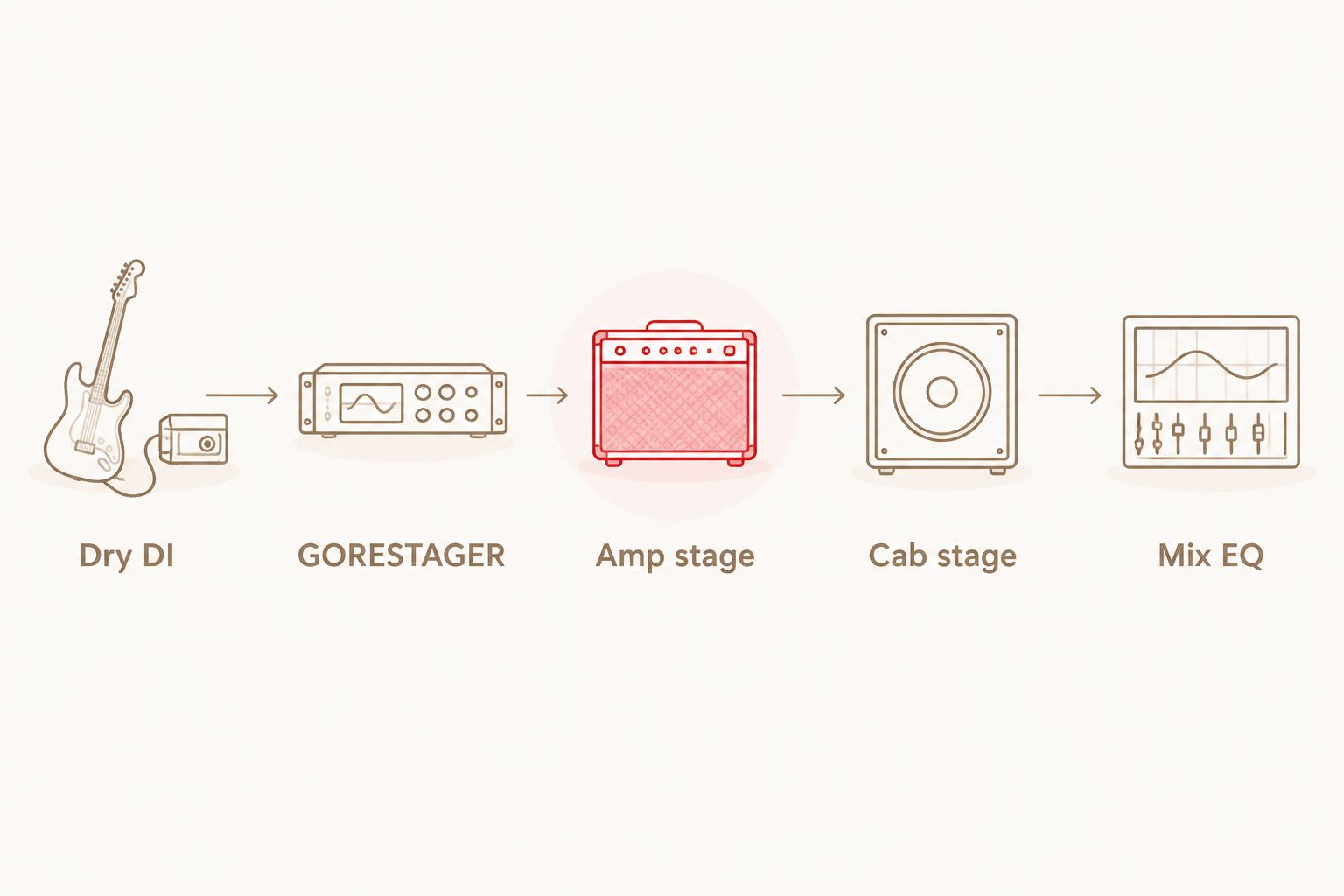
Use this starting order inside your DAW:
- Dry DI: Record an unclipped guitar input and keep the unprocessed recording.
- GORESTAGER: Insert the preamp distortion stage before your amp simulator.
- Amp stage: Establish the underlying gain character without relying on added loudness.
- Cab stage: Use the cabinet processing required by your chosen amp setup.
- Mix EQ: Make corrections while the bass and drums play.
Do not automatically add another cabinet loader if your amp setup already supplies cabinet processing. Confirm the active stages first; troubleshooting is easier when you know what each insert contributes.
Set the amp sound before adding distortion
Bypass GORESTAGER and get a usable rhythm tone from the amp-and-cab chain. Play the breakdown’s shortest chugs, longest sustains and exposed stops—not just an open chord.
Then enable GORESTAGER. Adjust the distortion amount and downstream amp gain against each other rather than treating both as controls that must increase.
These are workflow instructions, not named GORESTAGER presets. Use the controls available in your installed version, and avoid copying knob positions from a different plugin.
Match the listening level
Use a downstream DAW trim or gain utility to compare the processed and bypassed versions at similar perceived loudness. A louder setting is not automatically a better breakdown tone.
Listen for the pick transient, the pitch of the low note and the silence after the mute. Keep the extra distortion only when those details still communicate the rhythm.
Test a short arrangement
Loop a 4-bar passage containing a chug pattern, a sustained note and a stop. Bring in the actual bass and drum parts before deciding whether the chain works.
Use the same passage for every comparison. Changing the riff and the tone together makes it harder to identify what improved.
GORESTAGER or SLAMP: which stage does your riff need?
Choose by function, not by how aggressive the product name sounds. GORESTAGER supplies an extreme preamp distortion stage; SLAMP supplies an amp-simulation direction explicitly aimed at slam, brutal death metal and deathcore.
For a 2026 session with an established amp sound, assess GORESTAGER as an addition—not an automatic replacement. If the amp sound itself is wrong, address that first rather than asking extra distortion to repair it.
The benefit of combining stages is control over the chain’s distortion character. The cost is complexity: you must balance the added stage, downstream gain and final listening level.


Why GORESTAGER breakdown tone varies
The same plugin sits inside different recording and processing chains. These factors determine what you hear; no single setting replaces checking them in your session.
- DI input: Clipping captured at the interface remains in the recording. Check the input before adjusting distortion.
- Distortion balance: GORESTAGER and the downstream amp both affect the result. Change one stage at a time.
- Cabinet processing: The cabinet stage shapes the final guitar sound. Keep it consistent while comparing distortion settings.
- Muting and performance: Ringing strings and uneven stops are part of the source. Inspect the dry take before reaching for tighter gating.
- Bass and drum arrangement: A guitar setting must work against the actual low-end parts. Soloed weight is not the same as mix clarity.
- Comparison level: Different output levels can distract from differences in attack and texture. Match the listening level before choosing.
How do you keep deathcore chugs defined?
Start with the dry performance, then balance the gain stages. A heavily processed signal makes it harder to hear whether the problem began with the take or the processing.
Check the DI before blaming the plugin
Listen for unwanted open strings, inconsistent palm muting and notes that extend into the stop. Correct the performance or edit the recording where needed, then return to the processed chain.
A noise gate can control material below its threshold; it does not rewrite a poorly muted note while that note remains audible. Set any gate to preserve the sustains the arrangement actually needs.
Reduce gain before cutting more EQ
If consecutive chugs blur together, reduce the added distortion and reassess. Next, test less amp gain while keeping the rest of the chain fixed.
Do not make both changes simultaneously. You need to know which stage was obscuring the riff before deciding what to keep.
Build width from performances
For double-tracked rhythm guitars, record 2 separate performances rather than duplicating the same recording and panning the copies. Check the pair together before adding more layers.
The practical test is the stop: both performances should end where the arrangement demands. Extra distortion does not replace coordinated muting.
Leave space for the rhythm section
Bring the bass and kick back in before making the final EQ decision. If the guitar sounds impressive alone but masks the rhythm section, revisit its low-end balance and gain structure.
Do not remove low end simply because a generic preset says to. Make the adjustment against the recorded bass, the chosen kick and the actual riff.
Can you use GORESTAGER without an amp simulator?
GORESTAGER is identified as a preamp distortion engine, not a complete amp simulator. Treat it as a processing stage and establish what amp and cabinet processing your intended sound requires.
For a conventional recorded guitar sound, begin with the documented pre-amp placement and assess the complete chain. An intentionally abrasive effect is a different production choice from a finished amp-and-cab tone.
Is more distortion better for a deathcore breakdown?
More distortion is not automatically better for a deathcore breakdown. Keep it when it improves the intended texture without hiding the pick attack, note pitch or rhythmic stop.
A useful 2026 session habit is to save the simpler chain before experimenting. Compare the new version against that reference rather than judging each adjustment only against the previous adjustment.
When should you leave GORESTAGER bypassed?
Leave GORESTAGER bypassed when the amp-and-cab chain already delivers the required attack and texture. An extra insert needs a specific job.
Also bypass it when the level-matched version loses definition or makes every section equally saturated. Contrast between a busier passage and the breakdown can matter more than another layer of distortion.
FAQ
Is GORESTAGER specifically a deathcore breakdown plugin?
GORESTAGER is described as an extreme preamp distortion engine, not an exclusively deathcore plugin. Its role makes it relevant when a deathcore guitar chain needs an additional distortion stage.
Where should I put GORESTAGER in my guitar signal chain?
Start with GORESTAGER before your amp simulator, followed by the cabinet processing your setup requires. Keep the dry DI so you can reassess the chain without recording the part again.
Is GORESTAGER a physical guitar pedal?
GORESTAGER is a software plugin, not a physical guitar pedal. Its product description lists VST/AU/AAX formats.
Should I choose GORESTAGER or SLAMP for deathcore?
Choose GORESTAGER for an extreme preamp distortion stage and SLAMP for an amp simulator aimed at slam, brutal death metal and deathcore. They serve different roles rather than being direct substitutes.
What are the best GORESTAGER settings for low-tuned chugs?
Choose settings through a level-matched comparison using your recorded breakdown. Balance the added distortion against the amp gain, and keep the setting that preserves attack and clean stops in the mix.
Will GORESTAGER fix a muddy breakdown guitar track?
GORESTAGER is not a substitute for correcting the cause of muddiness. Check the DI, gain balance, cabinet processing and interaction with bass before adding more distortion.
Can I use GORESTAGER for a 2026 deathcore recording workflow?
GORESTAGER fits a deathcore workflow as an extreme preamp distortion stage. Check the plugin format supported by your DAW and assess the complete guitar chain before committing the sound.
One last thing
Judge the silence after the chug as carefully as the chug itself. Loop the final hit before a stop, then listen with the bass and drums playing; that moment exposes lingering strings, mismatched edits and processing that holds noise between hits.
Keep the dry DI and your bypassed reference. A record-ready guitar tone is the chain that serves the breakdown, not the chain with the most active inserts.


