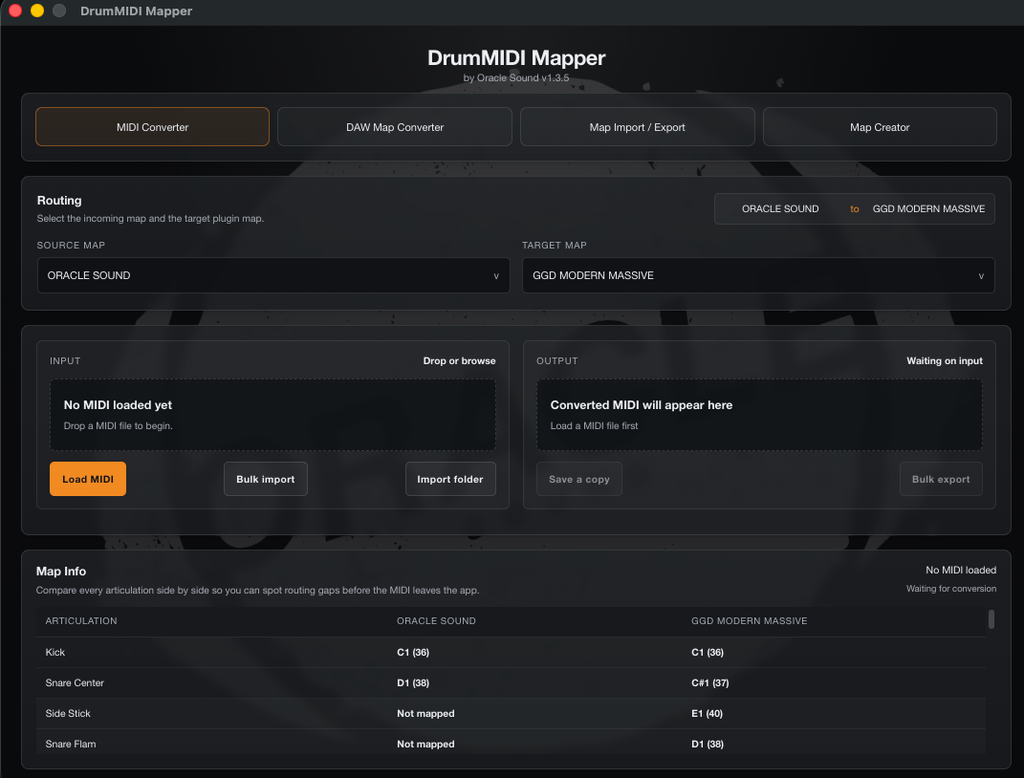
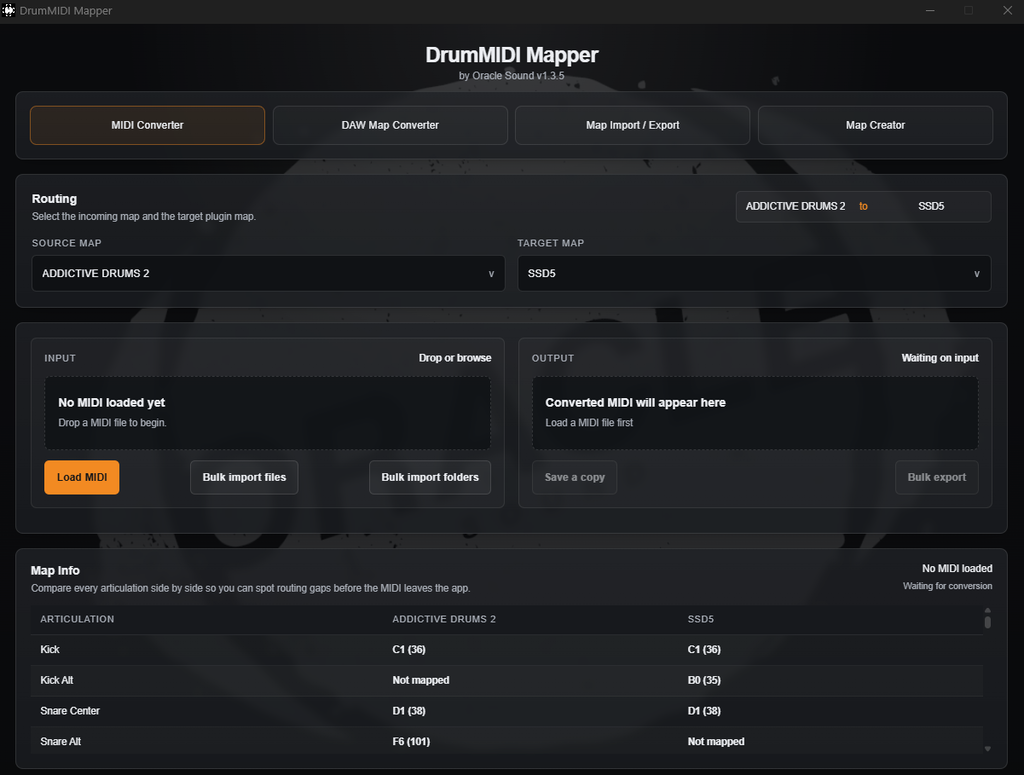
DrumMIDI Mapper is not just a basic note remapping tool. It's a complete drum MIDI conversion and mapping suite built for real production workflows.
When a groove is written for the wrong drum library, most tools only handle simple note reassignment. DrumMIDI Mapper goes further by giving you a complete workflow for converting drum MIDI between plugin maps, reviewing articulation routing, handling fallback behaviour, importing custom maps, translating DAW drum-map files, exporting maps, and manually building maps when needed.
It helps remove repetitive manual cleanup and gives producers one place to manage drum map compatibility across plugins, sessions, and DAWs.
Choose the correct source map for your incoming MIDI, then select the target map for the drum library you want to use. No guesswork—just pick the right profiles and go.
Load MIDI files instantly with drag-and-drop or bulk import. Whether it's a single file or an entire folder, DrumMIDI Mapper handles it without breaking your flow.
See exactly how each articulation is routed in the Map Info table before you export. No black-box conversion—you know what changed and why.
Export single files or bulk-export entire batches. Drag converted MIDI directly to your desktop, a folder, or straight into your DAW—no extra steps, no file management headaches.
Drag-out converted MIDI files directly from the app to your desktop or DAW. No export dialogs, no extra clicks—just grab and go.
Unlike black-box converters, DrumMIDI Mapper shows you exactly what's happening. Review routing, verify articulations, and export with confidence.
Convert drum MIDI between any app maps with source and target map selection. Drag-and-drop MIDI import, load and save copies, or bulk import and export entire folders. Native desktop drag-out lets you drop converted files directly into your DAW, folders, or desktop.
View articulation routing between selected source and target maps in a clear table format. See exactly how each drum voice translates across libraries, with full visibility into note assignments and fallback logic for toms, rims, hi-hats, cymbals, chokes, and off-center snares.
Import your own drum maps and add them directly into the app map lists. Pin custom maps to the top of dropdowns for quick access, or remove them when no longer needed. Your imported maps integrate seamlessly with the built-in library for full conversion support.
Translate supported drum-map files between DAW formats in the dedicated DAW Map Converter tab. Convert maps from one DAW to another without touching MIDI, perfect for moving your drum map library across production environments or sharing maps with collaborators.
Import DAW drum-map files into the app library for use in MIDI conversion, or export app maps back out to supported DAW formats. The Map Import / Export tab gives you full control over your map library, bridging the gap between your DAW and the conversion engine.
Build custom drum maps manually from articulation and note rows in the Map Creator tab. Load templates from existing app maps to start with a known layout, then modify and export your custom map to supported DAW formats. Full manual control for advanced users and custom libraries.
Expanded fallback routing ensures your MIDI converts cleanly even when articulations don't match perfectly. Smart handling of toms, rims, hi-hats, cymbals, chokes, and off-center snares keeps your drum programming intact across different libraries and sample sets.
All maps use the shared C1 = 36 note naming convention, eliminating confusion across DAWs and libraries. No more guessing whether your kick is on C1, C2, or something else. One standard, consistent across the entire app and all supported formats.
Shared C1 = 36 note naming convention
Expanded fallback logic for toms and rims
Hi-hat, cymbal, and choke routing
Off-center snare articulation support
Bulk MIDI import and export workflows
Native desktop drag-out to DAW or folders
Custom map pinning and removal
Template loading in Map Creator
Select the drum map format of your original MIDI file from the source dropdown.
Select the drum map format you want to convert to from the target dropdown.
Drag and drop a .mid or .midi file into the import zone, or click to browse and select.
Check the conversion summary, routing info, map details, and fallback behaviour before exporting.
Save a copy or drag the converted MIDI directly to your desktop, folders, or DAW session.
Import custom maps, translate DAW drum-map files, or build new maps manually inside the suite for complete control.
See exactly where every note goes. No guesswork, no hidden conversions—just clear, visual routing that makes sense the first time you open it.
Stop manually fixing MIDI notes every time you switch libraries. Map once, apply instantly, and get back to producing.
Swap templates, recover old sessions, or adapt client files without rewriting MIDI. Works across DAWs, libraries, and workflows.
Use included maps for popular libraries or create your own. Full control over articulation routing, no limitations.
DAW map translation, map import/export, and manual map creation. It's a complete mapping solution, not just a converter.
If you work with more than one drum library, this tool saves hours. Switch between libraries without losing your programming.
Convert collaborator MIDI to match your drum plugin setup without manual note-by-note editing
Move grooves between GGD, Superior Drummer, SSD, and other plugin-specific maps instantly
Standardize drum performances across production templates and clean up sessions faster
Maintain custom mapping systems and translate DAW drum-map files across projects
Work seamlessly between Addictive Drums, EZdrummer, MixWave, Room Sound, and Drumforge
Build repeatable map workflows and eliminate the frustration of incompatible drum MIDI
Whether you're opening MIDI from a collaborator, converting an older session to a new drum library, standardizing folders of MIDI for a template, or managing custom drum maps for a specific workflow, DrumMIDI Mapper gives you a faster path from mismatch to usable performance. It reduces wasted time, manual note reassignment, and broken creative flow—one suite for conversion, map management, DAW map translation, and export workflow.
Convert MIDI from collaborators or legacy sessions instantly
Standardize MIDI folders for templates and consistent workflows
Manage custom drum maps across different DAWs and libraries
Eliminate manual note reassignment and maintain creative momentum

DrumMIDI Mapper includes a built-in library of 100 drum maps covering major plugins, groove players, modules, DAW layouts, and production-specific workflows. Start converting immediately without building everything from scratch.
The built-in library works alongside support for imported custom maps and manually created maps inside the same suite—extensive, flexible, and ready for real-world production environments.
Full list of supported maps displayed below
DrumMIDI Mapper supports standard MIDI files with .mid and .midi extensions. Simply drag and drop your files into the app to begin conversion.
Yes. DrumMIDI Mapper includes full batch processing support, allowing you to convert multiple MIDI files simultaneously. This saves significant time when working with large libraries or multi-song projects.
Absolutely. DrumMIDI Mapper allows you to create and save custom drum maps for any kit or sample library. Once created, your custom maps are stored and can be reused across all future conversions.
Yes. DrumMIDI Mapper can import and export drum maps in formats compatible with major DAWs, making it easy to translate mappings between different production environments without manual re-entry.
Yes. DrumMIDI Mapper includes a full manual map editor, allowing you to assign each drum voice to the correct MIDI note. This gives you complete control over your drum mapping workflow.
In most cases, no. DrumMIDI Mapper is designed to produce clean, accurate conversions that are ready to use immediately. However, you can always fine-tune the output in your DAW if needed.
DrumMIDI Mapper uses the standard where C1 = MIDI note 36. This is the most widely adopted convention in modern DAWs and drum software, ensuring compatibility across your production tools.
DrumMIDI Mapper is compatible with Windows and macOS. The app works seamlessly on both platforms.
DrumMIDI Mapper is a one-time purchase. You own the software outright with no recurring fees or subscription required.
No iLok and no third-party software. DrumMIDI Mapper 1.5 activates with the Oracle Sound licence key from your account: open the app, click Activate licence, paste the key once and it is licensed on that computer. The key is checked offline and never expires.
DrumMIDI Mapper includes a comprehensive library of pre-built drum maps for popular sample libraries and virtual instruments. You can also create and save unlimited custom maps for your own kits.
No. DrumMIDI Mapper works completely offline.
Download the Mac or Windows installer from the downloads page and run it. Then open DrumMIDI Mapper, click Activate licence and paste the licence key from My Products in your Oracle Sound account. Step by step on the activation page.
Yes. Install it on every computer you own and paste the same licence key on each one. There is no machine limit and nothing to deactivate.