

Oracle Sound vs MultiTracks: Which Wins in 2026
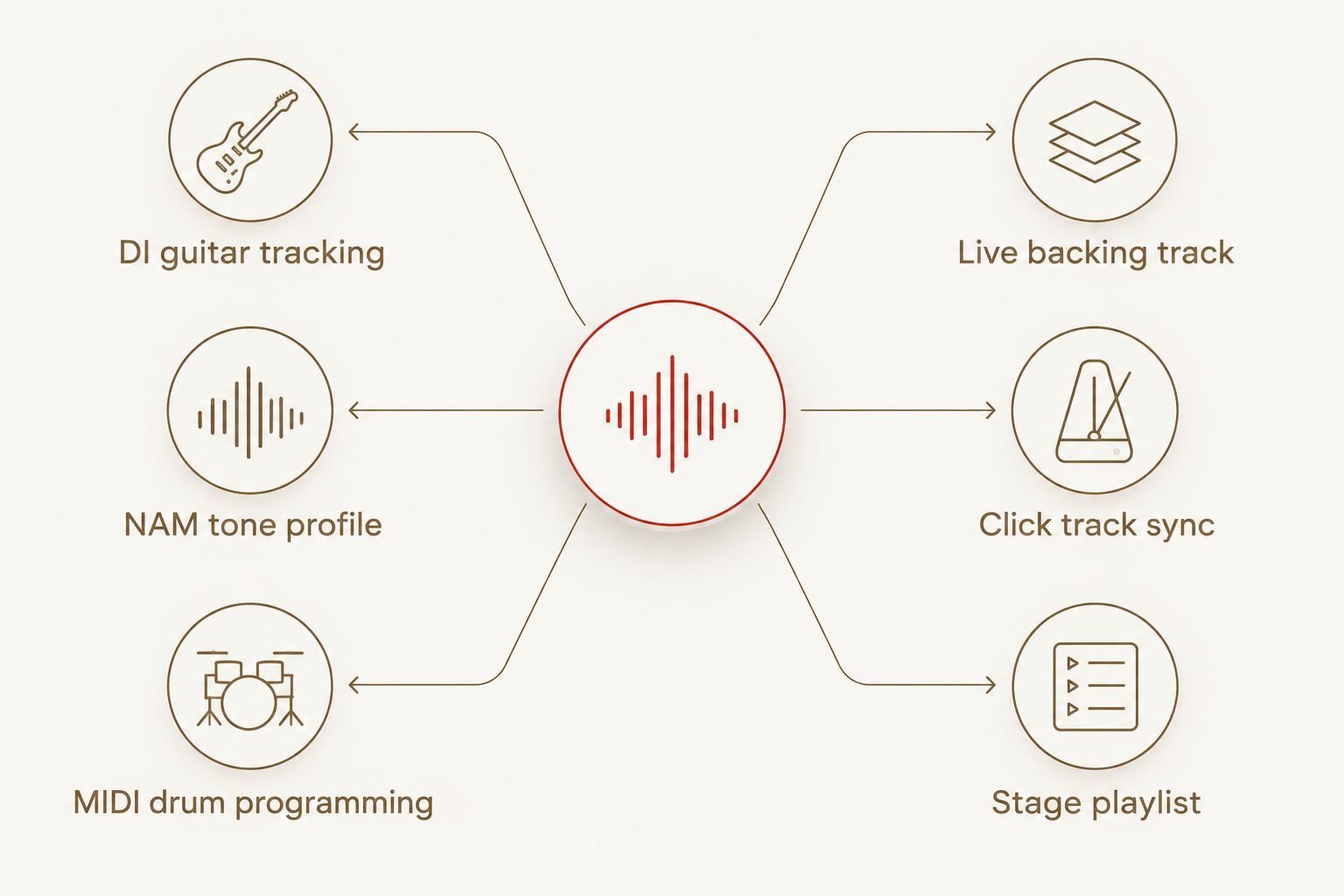
Oracle Sound and MultiTracks aren't chasing the same job. Oracle Sound builds amp sims, NAM tone profiles and MIDI drum grooves for metal, hardcore and punk producers working inside a DAW; MultiTracks sells backing tracks and click tracks for live worship bands running a Sunday set off a laptop. Choose Oracle Sound if you're tracking guitars and programming drums for a record. Choose MultiTracks if you're running a live show and need the band synced to a click.
- Oracle Sound wins for studio guitar tone and MIDI drum production in metal, hardcore and punk records in 2026.
- MultiTracks wins for live worship backing tracks and click-track sync on stage.
- Oracle Sound's NAM profiles and amp sims give full tone-shaping control; MultiTracks ships fixed stems.
- Pricing splits on ownership: Oracle Sound is one-time per plugin or pack, MultiTracks runs on catalog access.
Why this matters
Searching "oracle sound vs multitracks" usually means someone typed the wrong comparison. Oracle Sound makes amp/pedal simulation plugins, NAM tone profile packs and MIDI groove libraries for recording engineers. MultiTracks makes backing tracks, stems and click tracks for churches and worship teams to run a live set.
They overlap on one thing only: both ship digital audio content producers buy online. Past that, the workflows don't touch. Get the axis wrong and you'll buy the wrong tool for 2026 sessions.
At a glance
| Dimension | Oracle Sound | MultiTracks |
|---|---|---|
| Best for | Metal, hardcore and punk producers tracking guitars and drum MIDI in a DAW | Worship bands and churches running live Sunday sets |
| Core content type | Amp/pedal sims, NAM tone profiles, MIDI drum grooves | Full-song backing tracks and click tracks |
| Genre focus | Metal, hardcore, punk, doom, grindcore | Worship, CCM, gospel |
| Tone shaping control | Full control over amp, cab and pedal chain | None — tracks are pre-mixed stems |
| Live performance use | Not built for live playback | Built for live playback via a dedicated app |
| Drum content | Genre-specific MIDI groove libraries (blast beats, breakdowns, beatdowns) | Click tracks synced to fixed song arrangements |
| File format | NAM profiles, VST/AU plugins, standard MIDI files | Audio stems, click and cue tracks |
| Pricing model | One-time purchase per plugin or pack | Catalog/subscription access |
Oracle Sound is built for studio production, MultiTracks is built for the stage
Oracle Sound is a studio production tool; MultiTracks is a live performance tool. You load Oracle Sound plugins into a DAW to record and shape guitar tone, or drag MIDI grooves onto a drum track while writing a song. MultiTracks does the opposite job: it hands a worship band a finished backing track and click so the drummer, bassist and keys stay locked to a click on stage.
Neither replaces the other. A metalcore band tracking a 2026 EP has no use for a worship backing track, and a church band running Sunday service has no use for an amp sim plugin.
Oracle Sound covers metal, hardcore and punk; MultiTracks covers worship and CCM
For heavy genres, Oracle Sound is the only one of the two built for the job. The catalog runs deathcore, grindcore, doom, nu-metal, pop-punk and metalcore-specific MIDI packs and NAM profile packs — content MultiTracks doesn't carry because it isn't the market MultiTracks serves.
MultiTracks' catalog runs the other direction: worship, CCM and gospel arrangements built for a church's weekly setlist rotation. If your genre is grindcore or beatdown hardcore, MultiTracks has nothing on the shelf for you.
Oracle Sound gives you full tone-shaping control (by a lot)
Amp sims and TONECTOMY NAM profiles let you swap amp head, cab, mic position and pedal drive inside the plugin until the tone matches the record you're chasing. That's the entire point of a NAM profile — it captures a specific amp/cab/mic chain and puts it back in your session.
MultiTracks gives you none of that. A backing track is a finished, pre-mixed stem — you play it back, you don't reshape the guitar tone inside it. If tone control is the job, Oracle Sound wins and it isn't close.
MultiTracks is the better live-performance tool (by a lot)
Flip the use case and MultiTracks wins clean. A worship team running a Sunday setlist needs a click track, a cue track and a backing stem that plays back reliably through a live rig — that's what MultiTracks is built to deliver, and it's not what any amp sim plugin does.
Oracle Sound plugins live inside a DAW session. They aren't designed to run a live click for a band on a stage, and nothing in the catalog claims otherwise.
Oracle Sound wins on drum programming depth for heavy genres
The drum MIDI catalog goes deep on genre-specific patterns: the Slamlord Drum MIDI Pack alone ships 556 MIDI grooves, and the Mosh Drums pack carries 100 breakdown grooves built for exactly one job — writing breakdowns fast. The Grindcore Hardcore pack runs 38 songs of blast-beat and d-beat patterns for producers who need that pocket without programming it note by note.
MultiTracks doesn't compete here because it isn't a MIDI groove library — it ships finished audio, not editable drum data you drag into a DAW and reprogram.
Both deliver instant digital downloads that plug into standard studio and live setups (tie)
This is a genuine tie. Oracle Sound plugins and NAM profiles install into any major DAW that runs VST/AU or supports NAM-compatible loaders, and MIDI packs drag straight onto a drum track. MultiTracks content loads into its own playback software and standard live rigs. Neither locks you into obscure hardware or a closed file format that only works with one vendor's gear.
Pricing: ownership vs catalog access
Oracle Sound sells plugins, NAM profile packs and MIDI drum packs as one-time purchases — buy the pack, own the files, use them on every session after. That's a predictable, fixed cost per tool with no recurring fee tied to it.
MultiTracks runs on catalog access — you're paying for ongoing access to a rotating library of arrangements rather than owning a fixed set of files outright. That model trades a lower per-song cost for an ongoing relationship with the catalog instead of a one-time buy.
Neither model is wrong. Ownership favors producers building a permanent tone and drum toolkit; catalog access favors a worship team that needs a new setlist every week. Check current pricing on each site directly — neither model is worth guessing at from memory.
“If you're recording riffs and programming drums for a record, you need amp sims and MIDI grooves, not backing tracks.”
Final verdict
Choose Oracle Sound if: you're a metal, hardcore or punk producer tracking guitars in a DAW and need record-ready tone plus genre-accurate drum MIDI to build a song fast. Oracle Sound is the studio production tool.
Choose MultiTracks if: you're running a live worship set and need a click track and backing stem that keeps the whole band locked on stage. MultiTracks is the live performance tool.
Scorecard
| Dimension | Winner |
|---|---|
| Best for (studio production) | Oracle Sound |
| Genre focus (metal/hardcore/punk) | Oracle Sound |
| Tone-shaping control | Oracle Sound |
| Drum programming depth for heavy genres | Oracle Sound |
| Live performance / click track use | MultiTracks |
| File format & rig compatibility | Tie |
| Pricing model | Tie (different tradeoffs) |
FAQ
Is Oracle Sound better than MultiTracks for metal production?
Yes, for studio production. Oracle Sound ships amp sims, NAM tone profiles and MIDI drum grooves built for metal, hardcore and punk records, which MultiTracks doesn't carry.
Can MultiTracks be used for studio guitar tracking?
No. MultiTracks sells finished backing tracks and click tracks for live performance, not amp sim plugins or NAM tone profiles for recording guitar in a DAW.
Does Oracle Sound work for live performance?
Oracle Sound plugins run inside a DAW session for studio production. They aren't built to run a live click track for a band on stage the way MultiTracks is.
What DAWs work with Oracle Sound NAM profiles?
NAM profiles load through any DAW that supports a NAM-compatible loader or the relevant amp sim plugin format, covering the major production DAWs used in 2026.
Does MultiTracks include MIDI drum grooves?
No. MultiTracks ships finished audio stems and click tracks, not editable MIDI drum files you drag onto a track and reprogram.
How much does Oracle Sound cost in 2026?
Oracle Sound plugins, NAM profile packs and MIDI drum packs sell as one-time purchases. Check current pricing on the site since it varies by pack.
What genres does Oracle Sound cover?
Oracle Sound's catalog covers metal, hardcore, punk, doom, grindcore, nu-metal and related heavy subgenres across amp sims, NAM profiles and MIDI drum packs.
Is MultiTracks only for churches?
MultiTracks primarily serves worship teams and churches with backing tracks built for CCM and gospel setlists, not metal or hardcore production.
One last thing
The Slamlord Drum MIDI Pack ships 556 MIDI grooves in one library — more genre-specific patterns than most drummers will program by hand in a full year of writing. That's the difference in one number: Oracle Sound is a content depth play for studio production, MultiTracks is a reliability play for a live stage. If you landed here looking for more studio-side options instead of a live playback tool, the MultiTracks alternatives guide covers what else is worth checking against Oracle Sound in 2026.