

How much does professional guitar reamping cost?
Professional guitar reamping requires a project-specific quote: the total depends on the tracks, tone setups, editing and revisions you ask the engineer to deliver. A reamping quote does not automatically include DI cleanup, alternate tones or mixing, so confirm those separately. For your 2026 recording budget, compare the same deliverables rather than treating every reamping service as the same job.
- How much does reamping cost? Get an itemised quote covering DI tracks, tone setups, revisions and delivered files.
- Hardware reamping includes a physical recording chain; plugin reamping processes your DI inside the DAW.
- Oracle Sound offers NAM tone profile packs for producers who want to shape recorded guitar DIs themselves.
- Approve the tone against drums and bass before processing every guitar track.
How much does professional guitar reamping cost?
The useful figure is the total for your specified session, not a headline rate without a scope. Ask the engineer what the billing unit covers: studio time, a song, an individual DI track or an agreed project. Then establish what happens when you request another cabinet, a different amp setting or another pass after approval.
Keep service work separate from software purchases. Buying a tone-processing tool gives you a way to process guitar recordings; hiring an engineer gives someone else responsibility for the agreed recording work. The plugin-versus-real-cab reamping guide explains the workflow distinction.
Use this breakdown when requesting a 2026 quote:
| Quote component | What to specify | What to confirm |
|---|---|---|
| DI tracks | Separate performances, song lengths and track names | Which tracks the quote covers |
| Tone setup | Reference mix, tuning and rhythm or lead role | Whether alternate setups are included |
| Preparation | Editing status, noise and file alignment | Whether cleanup is separate work |
| Revisions | What you want to change after hearing a test | What counts as a revision |
| Delivery | File format, start point and processed stems | Whether mixing or mastering is excluded |
Do not compare a raw reamped stem with a mixed guitar bus as though they are identical deliverables. Bus EQ, compression, automation and effects are additional processing decisions. Spell out which version you actually need.
Why this matters
For metal, hardcore and punk, the guitar tone has to work against the kick, snare and bass. A huge soloed sound is not proof that the rhythm guitars fit the song. Send a rough mix alongside your DIs so the engineer can hear the production problem.
Reamping changes the sound of a recorded performance. It does not replace a weak take, restore information lost to clipping or create a genuinely different performance for double tracking. Finish the performance and editing decisions before approving the tone.
A clear brief also keeps you from comparing unrelated services. A physical amp-and-cab session, an engineer-operated plugin chain and a self-directed NAM workflow all process recorded guitar, but they assign different work to different people.
Hardware reamping: best for a specified physical recording chain
Choose hardware reamping when you want an engineer to send your DI through a physical amp and record the result. Specify whether the job involves a miked cabinet or another agreed output path. Those are different recording arrangements.
A typical miked-cab signal chain is:
DI playback, interface line output, reamp box, amp, cabinet, microphone, preamp, recorded return.
The reamp box handles the connection between the interface output and the amp input. The engineer still has to set the playback level, choose the amp settings and position the microphone. Ask which of those decisions you can approve before the full session runs.
- Best for: a project that calls for a particular physical amp, cabinet and microphone arrangement.
- Pro: you receive a recording of the agreed hardware chain.
- Con: recalling a tone depends on reproducing physical settings and microphone placement.
Do not assume that a cabinet recording includes several microphone positions or blended microphone stems. Request those deliverables explicitly if your mixer needs them.
Engineer-operated plugin reamping: best for delegated tone work
Choose engineer-operated plugin reamping when you want someone else to build and print the tone without requiring a physical cabinet recording. The engineer processes the supplied DI inside a DAW and delivers the agreed audio files.
The important distinction is the operator, not just the technology. You are commissioning tone decisions, session handling and delivery. Ask whether the engineer supplies only processed stems or also handles guitar-bus treatment within your mix.
- Best for: producers who want to delegate guitar tone work and receive finished audio stems.
- Pro: software settings can be saved with the session for recall.
- Con: printed audio does not give you the underlying plugin session or its licences.
For a 2026 brief, specify the output you want rather than demanding an unspecified collection of presets. A dry processed rhythm stem, a lead stem with delay and a mixed guitar bus serve different purposes.
Self-directed plugin or NAM processing: best for tone control
Choose self-directed processing when you want to keep the DI editable and make tone decisions inside your own session. An amp sim processes the recorded guitar signal; a NAM workflow uses a compatible loader to run the selected profile.
You remain responsible for input calibration, cabinet processing where required, gain staging and the final print. Check whether a profile includes the cabinet sound before adding an impulse response. Applying cabinet processing twice changes the result and can obscure your tone comparison.
- Best for: producers who want to revise tones themselves while arranging and mixing.
- Pro: the original DI remains available for another processing pass.
- Con: you take on the engineering work rather than delegating it.
Which reamping workflow fits your project?
| Workflow | Best for | Main advantage | Main limitation |
|---|---|---|---|
| Hardware reamping | A specified physical recording chain | Captures the agreed amp and recording arrangement | Physical setup needs careful recall |
| Engineer-operated plugins | Delegating tone decisions | Delivers processed audio without requiring your own tone session | Session access is not automatic |
| Self-directed plugins or NAM | Keeping tone control in your DAW | Lets you revisit processing from the original DI | Requires your own setup and judgement |
Choose the workflow by the deliverable you need, not by whether the word hardware appears in the description. If the mixer needs editable DIs, preserve them regardless of how you generate the listening tone.
Why reamping quotes vary
Define these factors before asking for a total:
- Track scope: list every separate performance that needs processing, including leads, overdubs and alternate sections.
- Tone scope: distinguish one rhythm sound from additional clean, lead or effect-heavy chains.
- Preparation: identify whether the DIs are already edited, aligned and ready to process.
- Recording chain: state whether you require a physical cabinet recording, software processing or either approach.
- Approval and delivery: agree on the test passage, revision process and final stem requirements.
These are questions for the provider, not assumed inclusions. Put the answers in writing so a change in scope is visible before the work starts.
For Australian projects, confirm that the 2026 quote specifies its currency and GST treatment. Do not infer either from a studio's location or from a currency symbol alone.
How do you prepare DIs before requesting a quote?
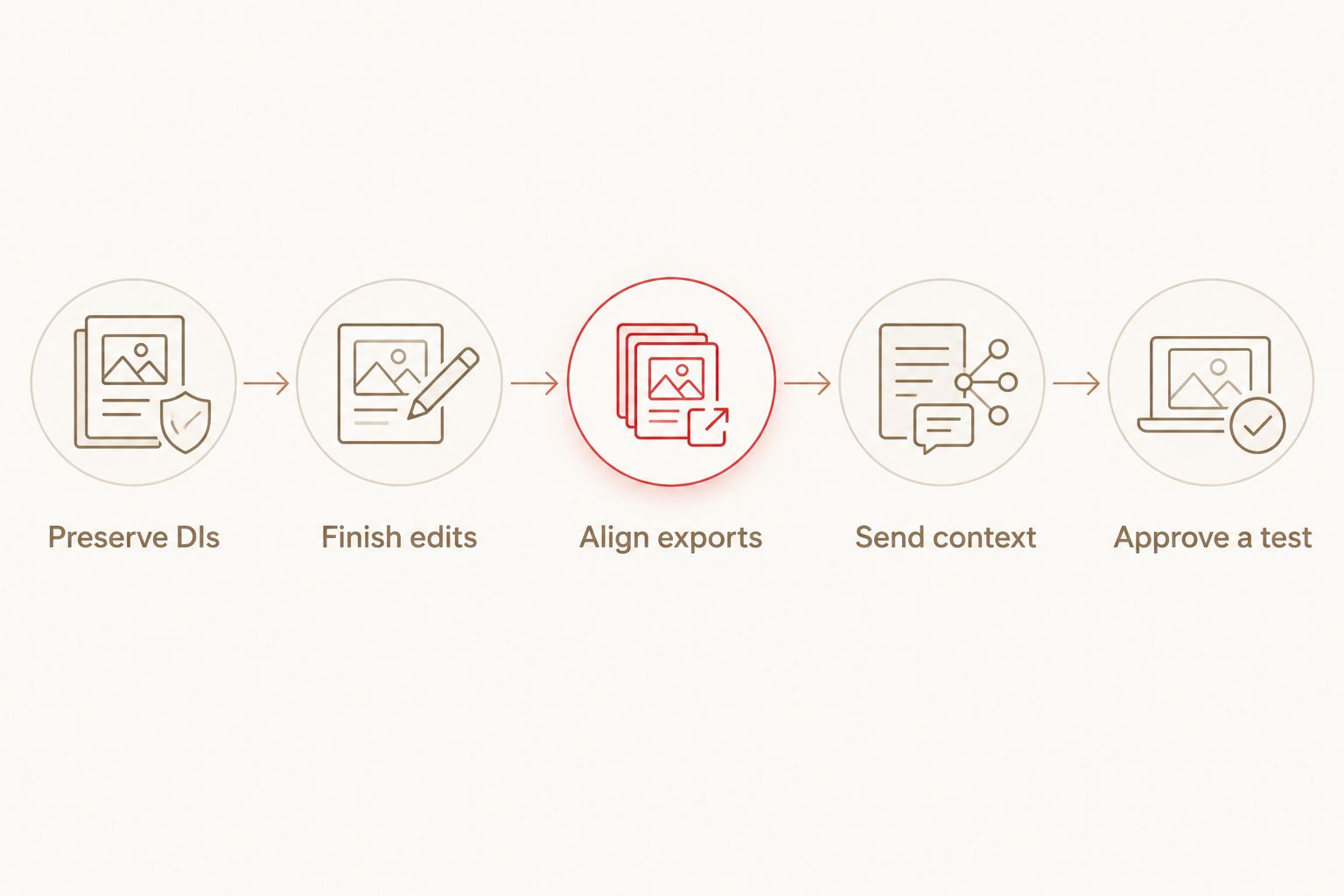
Send files that let the engineer assess the actual job. Keep your original recordings untouched and export working copies after completing the edits you want to retain.
- Preserve DIs. Supply the unprocessed guitar recordings, not only the distorted listening tracks. Keep amp sims, delay and reverb out of the DI export.
- Finish edits. Check timing, crossfades and unwanted gaps. Tell the engineer if editing remains part of the brief.
- Align exports. Export every track from the same session start so the files line up when imported.
- Send context. Include a rough mix, tuning, tempo information and a reference passage that demonstrates the target sound.
- Approve a test. Choose a passage containing the playing that matters before processing the complete set of tracks.
Match the source session's sample rate rather than changing it solely for reamping. If your session uses 48 kHz, keep the exports at 48 kHz unless the receiving engineer requests another format. A 24-bit export is a standard PCM delivery option; agree on the format before sending files.
Check fixed-point exports for clipping at 0 dBFS. Turning down a file after clipping does not restore the lost waveform. If you hear distortion in the supposedly clean DI, investigate it before asking an engineer to solve it with another amp tone.
For double-tracked rhythms, send 2 separate mono performances, not a duplicated recording presented as a second take. Label their roles clearly and keep both aligned to the same export start.
How do you test a tone before committing?
Use a passage that exposes the production problem. For tight hardcore rhythms, include palm-muted hits and sustained chords. For punk, include open chords and the fastest picking section; for leads, include the articulation and effects you expect to hear.
Start with a simple software chain: DI, input trim, amp processing, cabinet processing if required, corrective EQ. Add a gate only when the noise requires it. Set the threshold so it does not cut off quieter notes or sustained endings.
Compare tones at similar listening levels. A louder print can sound more convincing without fitting the mix better. Listen with drums and bass, then check the guitar alone for noise, clicks and unwanted tails.
Oracle Sound NAM tone profile packs are best for producers who want to shape recorded guitar DIs themselves. TONECTOMY brutal guitar tone NAM profiles is a relevant option for that workflow. The advantage is keeping tone selection in your session; the limitation is that a profile pack does not supply an engineer to prepare, judge and deliver your tracks.
Is reamping included in mixing?
Reamping is included only when the mixing agreement says it is. Confirm whether the mixer expects processed guitars, clean DIs or both, and ask who approves the tone before mixing begins.
Sending both can help communicate your intention: the processed track shows the sound you were working towards, while the DI preserves another processing route. Clearly label the listening reference so it is not mistaken for the required final tone.
Can you reamp guitars without recording them again?
You can reamp without another performance when you have a usable DI recording. The engineer changes its processing while retaining the recorded timing and articulation.
An already distorted guitar recording is not equivalent to a clean DI. If the performance itself needs changing, record another take rather than treating reamping as a performance repair.
Should you approve reamping before finishing the song?
Approve the main tone after the arrangement and DI edits are settled enough to judge it against the track. A guitar sound chosen before the bass and drums are present can require another decision once the full mix exists.
For your 2026 session, keep a processed reference and the original DI. That preserves the approved direction without making the listening tone your only remaining source.
FAQ
How much does reamping cost for one song?
A one-song reamping total depends on the provider's agreed scope. Request a quote listing separate DI performances, tone setups, preparation, revisions and delivered stems.
Is professional reamping always done through a real amp?
Professional reamping can use a physical amp or software processing. Ask which chain the engineer will use and what audio files you will receive.
Is plugin reamping the same as hiring a reamping engineer?
Plugin reamping describes the processing method, while hiring an engineer delegates the work. An engineer can use plugins, and you can also process your own DIs inside your DAW.
Can Oracle Sound NAM profiles process recorded guitar DIs?
Oracle Sound NAM tone profile packs are relevant to processing recorded guitar DIs through a compatible NAM loader. Check the profile's cabinet treatment and set the input level before printing the result.
Do I need a reamp box for plugin reamping?
You do not need a reamp box to process an existing DI entirely inside your DAW. A reamp box belongs in the hardware path between an interface line output and a physical amp input.
What files should I send for professional reamping?
Send unprocessed DIs aligned to the same session start, plus a rough mix and a clear tone brief. Agree on sample rate, bit depth and file naming with the engineer.
Can reamping fix clipped guitar recordings?
Reamping does not restore information lost to clipping in the DI. Check the original recording before commissioning another processing pass.
One last thing
Choose the approval passage for its hardest job, not its loudest moment. A tone that handles tight stops but loses sustained chords has not passed the test. Include both behaviours before approving the full print.